◇ FORMSPart of the Ettex Office Suite

Forms that fill themselves in

Forms and surveys with sections, completion progress, autofill from profile, validation and a live summary of responses.
Secure by designYour data is encrypted and private
Built for teamsReal-time collaboration that just works
Works anywhereIn the cloud, on desktop or on mobile
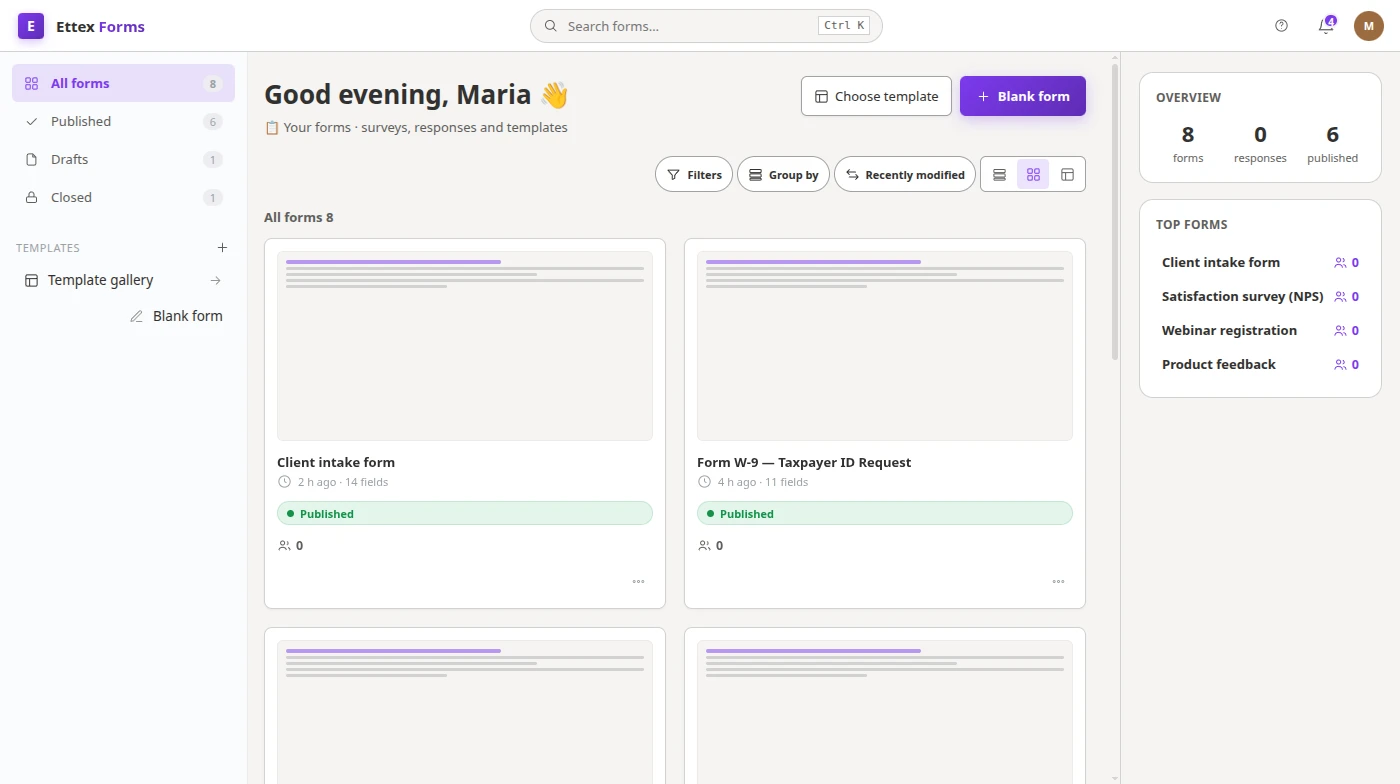
The Forms workspace
Works with your favorite formatsCSVXLSXPDF
Powerful features

Everything you need in Forms

Sections

Multi-step forms with progress.

Autofill

Prefill known fields from the profile.

Validation

Required fields and format checks.

Summary

Live response summary and export.

Inside Forms

Forms & surveys.
Built for your team.

Forms and surveys with sections, completion progress, autofill from profile, validation and a live summary of responses.

  • Drag-and-drop builder
  • Question types and logic
  • Responses and statistics
  • Share and embed
  • Export responses
A closer look at Forms
How it works

From start to done in 3 steps

1

Build the form

Add fields, sections and validation.

2

Share the link

Collect responses from anyone.

3

Read results

Live summary, per-response and export.

One office, every tool

Seamlessly switch between apps and keep everything in one place.

Product preview

A closer look at Forms

The Forms workspace
The Forms workspace
A closer look at Forms

Frequently asked questions

Is this a Google Forms alternative?

Yes — sections, validation, autofill and a response summary.

Where do responses go?

Responses sync via relay and roll up into a live summary.

Guides for Forms users

Practical write-ups from the people building it.

IT service desk software: requests, incidents and the parts that get skippedLegal intake: turning an enquiry into a matter without losing eitherCustomer support software: when a shared inbox stops being enoughTravel and expense management software: what to check before you buyPatient intake form: collecting what you need before the appointmentExpense report: what to require, what to check, and what to stop asking forProbation review: how to run the meeting and record the decisionJob safety analysis (JSA): steps, examples and a form that crews actually useNear miss report: what to record, a simple form, and building a reporting cultureCommissioning checklist: pre-commissioning, commissioning and handoverSoftware request form: approving new tools without shadow IT or licence surprisesIT request form: one front door for hardware, access and support requestsAccess request form: granting system access with approval and a recordConstruction RFI: writing RFI forms that get clear answers fastTransmittal form: proving what was sent, to whom, and whenQuality control checklist: building checks inspectors actually followCustomer complaint form: capture complaints so they get resolved, not lostRequest for quotation: how to get supplier quotes you can actually compareBooking form: the fields that prevent no-shows, double bookings and back-and-forthRequest a quote form: capture enough to price the job on the first replyWork request form: the intake that decides whether a job gets done rightAnnual leave request: a process that is fair, fast and leaves a recordSick leave request: notification, evidence and return to workVisitor check in software: what the front desk actually needs to record
All 75 Forms guides → All articles

Ready to get started with Forms?

Join thousands of teams already using Ettex Forms.

Try it