Create, edit and share documents that move your work forward
Powerful word processing with real-time collaboration, version history, comments and export to popular formats.
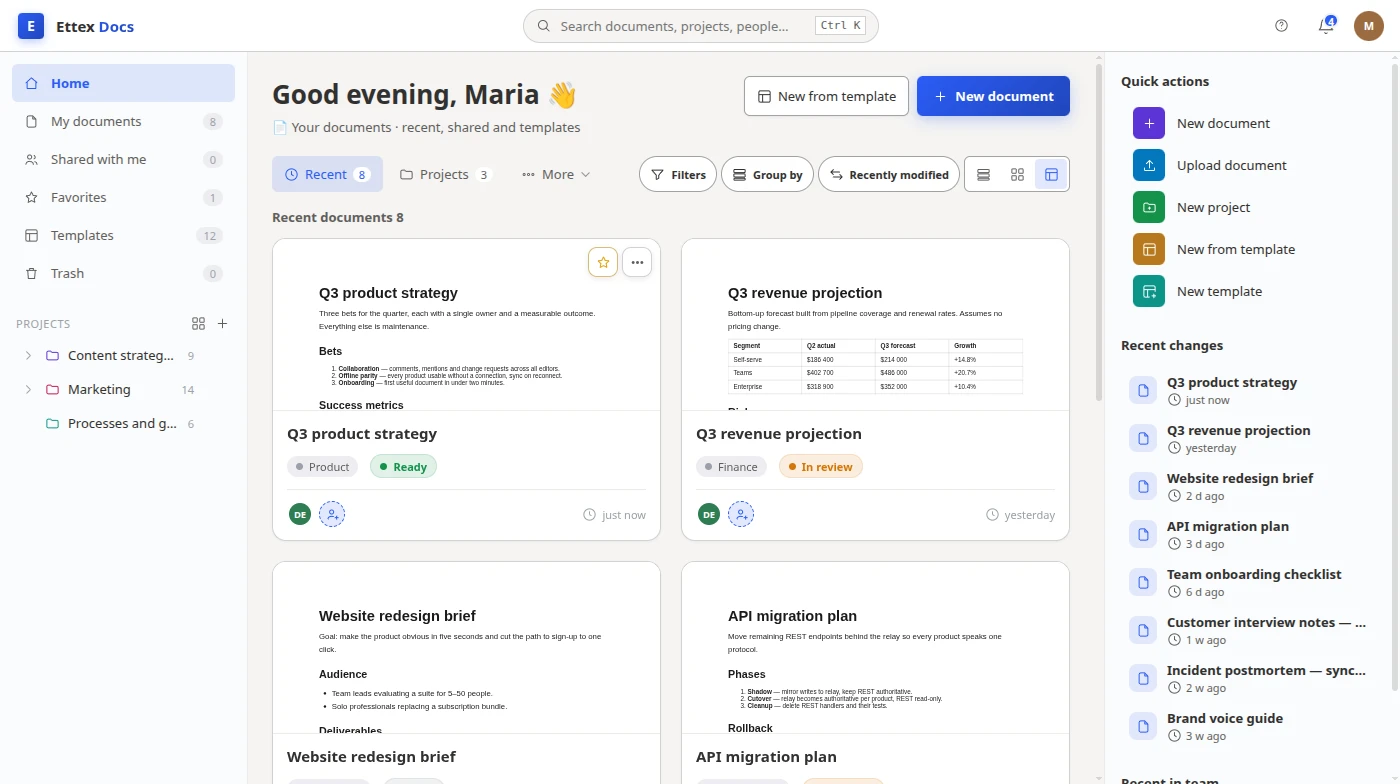
Everything you need in a modern document editor
Rich text editing
Advanced formatting, styles, tables, lists, images and more with a familiar interface.
Comments & mentions
Discuss directly in the document with @mentions and threaded comments.
Version history
See every change, compare versions and restore any previous state.
Export & compatibility
Export to DOCX, PDF, ODT and other formats. 100% compatible with MS Word.
Write with clarity.
Format with ease.
A full-featured editor with a familiar ribbon, document structure, and powerful formatting controls — so you can focus on your ideas.
- Word-style ribbon and shortcuts
- Document outline for quick navigation
- Paragraph and text formatting
- Styles and themes
- Find, replace and word count

From idea to polished document in 3 simple steps
Create from scratch or a template
Start a blank document or choose from beautiful templates to save time.
Collaborate in real time
Invite teammates, leave comments, track changes and stay aligned.
Export & share
Export to PDF, DOCX or other formats and share with anyone.
One office, every tool
Seamlessly switch between apps and keep everything in one place.
A closer look at Documents
Frequently asked questions
Is Ettex Documents a good alternative to Google Docs or Microsoft Word?
Yes. Ettex Documents offers rich text editing, real-time collaboration, version history and full compatibility with DOCX — so you can switch from Google Docs or Microsoft Word without losing your workflow.
Can I work offline?
Absolutely. Documents sync automatically when you reconnect, and you can keep editing on desktop or mobile even without a connection.
How is my data protected?
Your data is encrypted in transit and at rest. Granular sharing controls and audit logs keep your team's documents private and secure.
What formats can I export to?
Export to DOCX, PDF, ODT, MD, RTF and TXT. Imports keep formatting intact so nothing gets lost between tools.
Switching from another tool?
How Ettex Docs compares, tool by tool.
Guides for Docs users
Practical write-ups from the people building it.
Ready to write better, together?
Join thousands of teams already creating with Ettex Documents.